
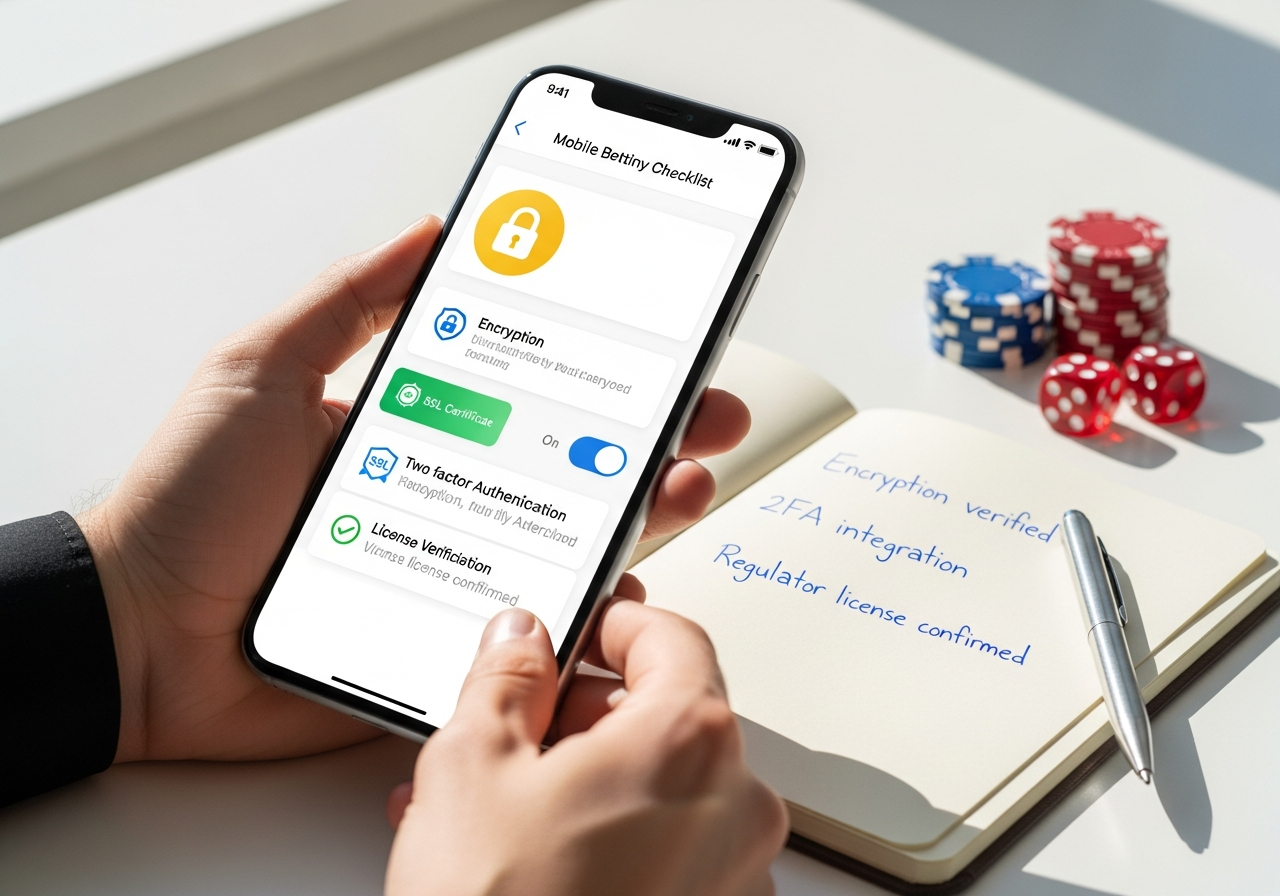
Before downloading any betting app ipl in India, it’s crucial to verify that the platform meets strict security standards rather than relying on marketing claims alone. Many apps promise trust and safety, but only a subset demonstrate clear licensing credentials, robust encryption protocols, and transparent payment safeguards that users can actually verify before signing up. This article focuses exclusively on pre-download security screening tools and checks—not betting advice—to help you identify whether a sportsbook app is genuinely secure or merely posturing as one.
The landscape of digital betting in India includes legitimate, regulated operators alongside unlicensed clones, fake APKs, and poorly maintained applications that expose user data and funds to unnecessary risk. Understanding what red flags to spot and which trust signals matter most will save you time, money, and potential legal complications. Let’s walk through the essential security features every responsible user should check before tapping that download button.
Why App Security Matters Before You Download an IPL Betting App
Downloading an unverified betting app is like handing your personal and financial data to an unknown party without knowing their identity or reputation. The stakes are real: weak security practices create pathways for malware injection, credential theft, payment fraud, and account takeovers. Indian users face additional risks because of regional legal ambiguity and the proliferation of cloned or tampered apps that masquerade as legitimate sportsbooks.
Verifying operator legitimacy and security posture before installation is your first and most important line of defense. A few minutes of due diligence upfront can prevent weeks of disputes, frozen accounts, or stolen money later.
Common Risks in Unverified Betting Apps
- Malware and spyware: Apps downloaded from untrusted sources or third-party stores may contain hidden code that monitors keystrokes, intercepts SMS messages, or drains battery life to farm cryptocurrency.
- Phishing and credential theft: Cloned apps with lookalike UI elements trick users into entering login credentials on fake pages, which are then sold or used for account takeover.
- Account hijacking: Weak password rules and missing two-factor authentication allow attackers to reset your account and withdraw funds in your name.
- Withdrawal denial and account freezing: Unregulated operators may lock accounts arbitrarily, claim suspicious activity, or simply vanish with user balances.
- Payment interception: Unsafe payment flows that don’t use encrypted connections or official payment gateways expose bank details and UPI information to middle-men.
- Data harvesting: Privacy policies may be absent or vague, allowing the operator to sell your personal information, betting history, and contact details to third parties.
What a Trustworthy App Should Signal Immediately
Before you even create an account, a legitimate betting app should display clear, findable information about its operator identity, licensing authority, and security practices. Look for a visible license number in the app footer or on the website, a linked terms-and-conditions page that names the regulated operator, and transparent contact details for support and complaints.
Trustworthy apps also show HTTPS security indicators in the browser, explain their encryption standard (usually SSL/TLS), and provide a dedicated privacy policy that details how your data is collected, used, and protected. These signals are not guarantees of honest conduct, but their absence is a strong warning that the app operator is either hiding something or lacks the resources to maintain proper infrastructure.
Licensing, Regulation, and Operator Identity
Licensing is the single most important security signal because it means an independent regulator has audited the operator’s financial controls, anti-fraud systems, and complaint handling procedures. A licensed operator is legally accountable; an unlicensed one is not.
| Security Signal | What to Check | Why It Matters |
|---|---|---|
| Licence number and jurisdiction | Footer, terms page, or “About” section should name the regulator (e.g., Malta Gaming Authority, Curacao eGaming) and display a valid licence ID | Proves the operator is subject to regulatory oversight and financial audits |
| Operator company name | Match the app publisher name, website domain, and terms-of-service entity to ensure they are the same legal entity | Cloned apps often use similar names but register to shell companies in tax havens |
| Regulator verification link | The licence number should be clickable or searchable on the regulator’s official website | Confirms the licence is real and currently active; counterfeit apps often list fake regulator URLs |
| Terms and conditions clarity | T&Cs should clearly state withdrawal limits, account suspension rules, and dispute resolution procedures | Vague T&Cs are a sign of poor operator governance and a lack of transparency |
| Responsible gambling statement | Licensed apps display information about deposit limits, self-exclusion, and links to harm-reduction organizations | Suggests the operator prioritizes user safety and complies with ethical standards |
How to Verify a Real Licence in the App or Website
Start by opening the app or visiting the operator’s website on a desktop browser. Scroll to the very bottom of the page or open the “About” or “Legal” menu—legitimate operators always display their licence details prominently in the footer. Write down the licence number exactly as shown.
Next, visit the official website of the regulator mentioned (e.g., mga.mt for Malta Gaming Authority, or curacao-egaming.com for Curacao). Use the regulator’s search tool to enter the licence number and verify that the operator name, licence status, and issue date all match what you saw in the app. If the licence number doesn’t appear in the regulator’s database, or if the operator name is different, do not download or use the app.
Finally, review the app’s terms-and-conditions page or terms link within the app itself. Legitimate T&Cs name the licensed entity, include a registered address, and explain how disputes are resolved (usually through the regulator’s complaint process). If the T&Cs are missing, broken, or redirect to an unrelated page, that’s a critical red flag.
Encryption, HTTPS, and Secure Data Transmission
Encryption is the technology that scrambles your data so only the legitimate server can read it. If your app or browser doesn’t use encryption, anyone on the same Wi-Fi network—or with access to your Internet service provider—can see your login credentials, betting history, and payment information in plain text.
| Protection Layer | User-Facing Sign | Security Benefit |
|---|---|---|
| SSL/TLS encryption (HTTPS) | The app or browser shows a padlock icon next to the domain; domain starts with “https://” not “http://” | All communication between your device and the server is encrypted, preventing interception |
| Secure login session | You must re-enter your password if you close and reopen the app; sessions do not persist indefinitely | Limits the window of time an attacker has to hijack an active session |
| Encrypted password storage | The app never displays your password in plaintext, even in settings or recovery emails | Protects your password if the app’s database is ever breached |
| Certificate pinning | The app verifies the server’s SSL certificate and rejects connections from counterfeit servers (you won’t notice this, but it happens in the background) | Prevents man-in-the-middle attacks where a fake server intercepts your traffic |
| Secure data deletion | The app allows you to delete your account and all associated data from settings; there is a data deletion confirmation | Ensures your information is purged after you leave, reducing exposure if the operator’s database is hacked later |
Encryption Indicators Users Can Spot Before Signup
- HTTPS in the domain: Before you download, visit the operator’s website on your phone or computer browser. The URL bar should show “https://” and a padlock icon. If it shows “http://” without the ‘s’, avoid it.
- Privacy policy is accessible and detailed: Click “Privacy Policy” in the app footer or on the website. It should explain which data is collected (name, email, address, phone, betting history), how it’s used, and how long it’s retained. Vague or missing privacy policies signal weak data handling.
- Clear explanation of encryption on the website: Look for a “Security” or “Data Protection” page. Legitimate operators mention their use of SSL/TLS, encryption standards, and regular security audits.
- No suspicious redirects: When you open the app, you should land on the app’s own domain (e.g., appname.com). If the login page redirects you to a completely different domain or URL, do not proceed.
- Broken links or outdated security pages: If the security or privacy pages are broken, out of date, or contain placeholder text, the operator is not maintaining their infrastructure properly.
What Encryption Does Not Guarantee
Encryption protects your data in transit—meaning while it travels between your device and the server. It does NOT prove that the operator is honest, properly licensed, or financially sound. A scam app can use HTTPS encryption while still stealing your money through fraudulent withdrawal denials or hidden fees. Encryption is a necessary foundation, but it must be combined with licensing verification, transparent payment policies, and clear account controls to be truly meaningful.
Account Protection: KYC, 2FA, Biometrics, and Login Controls
Account protection features make it harder for an attacker to steal your login credentials and drain your balance without your knowledge. KYC (Know Your Customer) verification—where you provide identity documents—is both a compliance requirement and a security feature because it creates an audit trail and prevents the use of fake identities.
- Two-factor authentication (2FA): After entering your username and password, you must enter a code sent to your phone (SMS or authenticator app) or generated by a biometric scan. 2FA is the single most effective way to prevent account takeover.
- Biometric login: The app supports fingerprint or face recognition as an alternative to typing your password. This reduces the risk of password interception.
- Device binding: The app remembers your device and flags login attempts from new devices, requiring additional verification before access is granted.
- Strong password requirements: The app enforces a minimum password length (at least 12 characters), requires a mix of uppercase, lowercase, numbers, and symbols, and prevents reuse of old passwords.
- Secure password reset: To reset a forgotten password, you must verify your identity via email or SMS before a new password can be set. Never use “security questions” alone—they are too easy to guess.
- Session timeout: The app automatically logs you out after a period of inactivity (usually 15–30 minutes) to prevent unauthorized access if you leave your phone unattended.
- Login alerts: The app notifies you immediately when someone logs in from a new device or location, giving you time to block unauthorized access.
Best Account Security Features to Prioritize
| Feature | Protection Level | User Benefit |
|---|---|---|
| 2FA via authenticator app | Very high | Prevents account takeover even if your password is stolen; code is time-based and cannot be intercepted |
| Biometric unlock (fingerprint/face) | High | Eliminates the need to type passwords on shared devices; faster and more secure than password reuse |
| Device binding and location alerts | High | Immediately notifies you if someone logs in from an unfamiliar location or device |
| Mandatory KYC with document verification | Medium (security) + high (compliance) | Proves your identity is real, creates an audit trail, and ensures your withdrawal account matches your registered name |
| Password strength enforcement | Medium | Reduces brute-force attack success; forces users away from weak patterns like “123456” |
| Session timeout (15–30 minutes) | Medium | Protects you if your device is stolen or left unlocked; attackers have limited time to act |
Payment Safety: UPI, Deposits, Withdrawals, and Fraud Controls
Payment safety is where theory meets practice. A well-designed betting app will clearly explain deposit methods (UPI, bank transfer, e-wallet), fees, processing times, and withdrawal conditions before you fund your account. Vague payment policies are a common precursor to disputes, delays, and account freezes.
| Payment Feature | Safe-Use Signal | Red Flag |
|---|---|---|
| Deposit methods listed upfront | The app clearly states which payment methods it accepts (e.g., UPI, NEFT, Paytm, Google Pay) and any associated fees | No payment methods listed; or only cryptocurrency or informal transfer options (bank to personal account) |
| Processing time transparency | Deposits are confirmed instantly or within 1–2 minutes; withdrawals are processed within 24–48 hours | Deposits take hours; withdrawals are never mentioned or described as “manual approval required” |
| Withdrawal limits and conditions | The app states minimum/maximum withdrawal amounts, explains any KYC requirements for large withdrawals, and shows the withdrawal history in your account | No stated limits; or limits are extremely high (>₹5,00,000) without explanation |
| Anti-money-laundering (AML) compliance | The app explains that large deposits or withdrawals may trigger identity verification to comply with Indian financial laws | No mention of AML or compliance; the app never asks for additional KYC documents |
| Secure payment gateway | Deposits route through a recognized payment processor (Razorpay, PayU, Instamojo) or a bank, not a personal or shell account | You are asked to transfer money to an individual’s bank account or to a company name that doesn’t match the app operator |
| Transaction receipt and history | The app provides an in-app receipt and transaction history for every deposit and withdrawal; you can download statements | No transaction history; receipts are not available or are vague (e.g., “Deposit: pending”) |
Payment Red Flags to Avoid
- Vague or missing withdrawal timelines: If the app does not state how long withdrawals take, or claims withdrawals are “under review” indefinitely, do not deposit money.
- Requests for off-platform transfers: Never transfer money to a personal bank account, cryptocurrency wallet, or informal payment method suggested by customer support. All transfers should route through the app’s official payment processor.
- Unexplained account holds or rolling verification: If the app suddenly demands additional KYC documents after you request a withdrawal, and there is no clear explanation, this is often a stalling tactic used by fraudulent operators.
- Fees that appear after deposit: Legitimate apps disclose fees upfront. If you deposit ₹1,000 and the app shows ₹950 available due to a “processing fee” not mentioned earlier, this is deceptive.
- No minimum withdrawal amount or extremely high minimums: Legitimate apps have a minimum withdrawal (usually ₹500–₹1,000) to prevent abuse. If there is no minimum, or if the minimum is extremely high (₹50,000+), the operator may be discouraging withdrawals.
- Cryptocurrency or peer-to-peer payment only: Apps that insist on crypto or informal transfers are usually unregulated and offer no consumer protection if something goes wrong.
Why Withdrawal Transparency Matters Most
Delayed or unclear withdrawals are often the first sign that an operator is running low on funds or lacks proper financial controls. Legitimate operators process withdrawals quickly and reliably because they maintain sufficient reserves and use licensed payment processors. If an app is vague about withdrawal timelines, refuses withdrawals, or demands additional fees at withdrawal time, those are critical red flags that your money may not be safe.
Fraud Detection, Responsible Controls, and Privacy Safeguards
Beyond encryption and licensing, trustworthy apps invest in systems that detect unusual account behavior, prevent problem gambling, and protect user data from misuse.
- Anti-bot and anomaly detection systems: The app monitors for unusual login patterns, rapid betting, or sudden large withdrawals—and alerts you or temporarily freezes your account if it detects a potential compromise.
- Self-exclusion and deposit limits: The app allows you to set a maximum daily/weekly/monthly deposit limit and provides a self-exclusion option that locks you out for a set period (e.g., 30 days) if you are concerned about problem gambling.
- Session and login alerts: You receive in-app or SMS notifications whenever someone logs in, changes your password, or modifies your payment method.
- Account statement and activity export: You can download your complete betting history, deposits, withdrawals, and account changes for your records or to share with a financial advisor.
- Consent-based marketing: The app does not send unsolicited emails, SMS, or push notifications unless you explicitly opted in. You should be able to unsubscribe from any time.
- Third-party data sharing restrictions: The privacy policy clearly states whether your data is shared with affiliates, advertisers, or payment processors, and only with your consent.
- Data retention and deletion policies: The app explains how long it retains your data and allows you to request deletion after account closure.
Privacy Policy Checks That Matter
A legitimate privacy policy should be written in plain language (not legalese) and answer these questions: What data does the app collect? (Usually: name, email, phone, date of birth, address, ID, payment method, and betting history.) How is it used? (For account verification, fraud detection, regulatory compliance, and marketing—only with consent.) Who has access? (Usually: employees, payment processors, regulators, and legal authorities if required by law.) How long is it kept? (Usually: for the duration of your account, plus a few years for regulatory archival.)
If the privacy policy is missing, vague, or claims to share your data with unlimited third parties, do not sign up. Excessive data collection and sharing are signs of a business model that prioritizes data monetization over user protection.
App Authenticity: APK Safety, Store Presence, and Update Hygiene
Cloned apps, fake APKs, and tampered versions of legitimate apps are rampant in the Indian mobile betting ecosystem. Attackers use app stores with loose security, distribute APK files via unofficial websites, and even upload to the official Google Play Store using spoofed publisher accounts.
| Authenticity Check | Safe Signal | Risk If Missing |
|---|---|---|
| Official store listing (Google Play or iOS App Store) | The app is available on Google Play Store or Apple App Store under the operator’s official name; the publisher name matches the website domain (e.g., “ABC Betting Ltd.”) | App is only available via direct APK download or third-party app store; no official store presence indicates clone or fake |
| Publisher verification badge | Google Play or Apple shows a “Verified” or “Official” badge next to the publisher name | No verification badge; or the publisher name contains typos or generic terms (e.g., “Sports Betting App” instead of the operator’s actual company name) |
| Consistent branding and branding consistency | App icon, name, and color scheme match the operator’s website and marketing materials exactly | Logo is slightly different, name is similar but not exact (e.g., “IPL Betting Max” vs. “IPL Betting”), or UI looks outdated compared to the website |
| Recent and regular updates | The app receives updates at least monthly; update notes explain bug fixes, security patches, or new features | The app has not been updated in 6+ months; update notes are generic or absent |
| Permission transparency | The app requests only necessary permissions (location for compliance, camera for ID verification, SMS for 2FA) and explains why each is needed | The app requests excessive permissions (microphone, all photos, contact list) without explanation |
| Checksum or file integrity verification | The app’s APK file (if downloaded from the website) can be verified against a published checksum to prove it has not been tampered with | APK is offered without a checksum; or the checksum does not match when you verify it |
Checks for Safe Installation
- Download from the official source: Use Google Play Store or Apple App Store, not third-party app stores like APKPure, APKMirror, or websites offering direct APK downloads.
- Verify the publisher name: On Google Play, tap the publisher name and confirm that the publisher’s verified apps and website match the operator you intend to use.
- Check the reviews and rating: Read the first 10–20 most recent reviews. Look for complaints about withdrawals, cloning, or phishing. If many recent reviews mention stolen money or fake accounts, avoid the app.
- Examine the app’s permissions: On Android, before installing, review the permissions the app is requesting. Deny any that seem unnecessary (microphone, all photos, contact list). On iOS, open Settings → Privacy after installation and review what the app has accessed.
- Verify the app size and update history: A legitimate app is typically 50–200 MB in size. If the app is tiny (5 MB) or huge (500+ MB), it may be cloned or bloated with malware. Check the update history: regular updates every 2–4 weeks are a good sign.
- Test the login flow before funding: Create an account and log in a few times. Make sure the password reset works, the privacy policy page loads, and the settings are accessible. Do not deposit money until you are confident the app is authentic.
Signs of a Clone or Tampered App
Clone apps are designed to look almost identical to the real thing but route your login credentials or payment information to attackers. Watch for subtle differences: a logo that is slightly blurred, a domain URL in the footer that is different from the official website, broken links in the privacy policy or terms page, or a UI that is noticeably older than the official website.
Tampered apps are legitimate apps that have been modified to include malware. You can’t always detect them by appearance, but you can reduce risk by downloading only from official stores and checking update history and permissions. If you install an app and it immediately asks you to allow it to access your SMS, camera, and microphone without explanation, uninstall immediately.
A Practical Pre-Download Security Checklist for Indian Users
Before you download a betting app, run through this checklist. If any of the critical items are missing or raise concerns, do not proceed.
- Verify licensing: Find the licence number in the app footer or website footer. Search for it on the regulator’s website (mga.mt, curacao-egaming.com, etc.). The operator name, licence status, and issue date must match exactly.
- Check encryption and HTTPS: Open the operator’s website in a browser. Confirm the URL starts with “https://” and a padlock is visible. Open the privacy policy and confirm it is detailed and accessible.
- Review payment methods and withdrawal terms: Confirm the app lists its accepted payment methods, states withdrawal processing times (should be ≤48 hours), and explains any withdrawal limits or KYC triggers. Do not proceed if payment info is vague.
- Test account security features: Does the app offer 2FA via SMS or authenticator app? Does it support biometric login? Are there session timeout and login alerts? Prioritize apps that offer multiple layers.
- Confirm app authenticity: Download only from Google Play Store or Apple App Store. Verify the publisher name and check recent reviews for complaints about cloning, phishing, or withdrawal denial. Avoid direct APK downloads.
- Spot-check the terms of service: Click into the T&Cs and confirm they name the licensed operator, include a registered address, and explain dispute resolution. Vague or missing T&Cs are a red flag.
- Review privacy and AML policies: Confirm the app explains how data is collected, used, and retained. Look for mention of AML compliance and anti-fraud systems. Opt-out of marketing emails if offered.
Decision Rule Before Downloading
If the app is missing a verifiable licence, lacks HTTPS encryption, provides no clear payment or withdrawal policy, or is unavailable on official app stores, do not download it. Security is not a marketing feature—it is the foundation of a trustworthy platform. A few minutes of verification before installation is far less painful than weeks of fighting a frozen account or disputed withdrawal. Legitimate operators understand that transparency builds trust and compete on security as well as features. Choose platforms that are willing to prove their credentials upfront.